mirror of
https://github.com/paperless-ngx/paperless-ngx.git
synced 2025-12-20 18:11:17 +00:00
Compare commits
54 Commits
| Author | SHA1 | Date | |
|---|---|---|---|

|
088a631f6a | ||
|
|
a9bb78c4ae | ||
|
|
3f4ac1f2f1 | ||
|
|
6c3afd21b9 | ||
|
|
e7daf7dae4 | ||
|
|
ba1f437e0b | ||
|
|
826db170d3 | ||
|
|
04816f556f | ||
|
|
f99db14a21 | ||
|
|
c75a1e9eca | ||
|
|
2894d105cb | ||
|
|
f31d535da8 | ||
|
|
619878b2f6 | ||
|
|
5db49a3710 | ||
|
|
f3654310bd | ||
|
|
10054f978a | ||
|
|
5308f2166d | ||
|
|
03ec9f5a06 | ||
|
|
454bf7595e | ||
|
|
b916fe13e1 | ||
|
|
484cbc1bf2 | ||
|
|
1d61c9cd79 | ||
|
|
3b72d38440 | ||
|
|
631d316985 | ||
|
|
742b01d1f5 | ||
|
|
d37aabfb06 | ||
|
|
b3624f6375 | ||
|
|
d6d8537b69 | ||
|
|
90cd9f3eb7 | ||
|
|
a0240cace3 | ||
|
|
988adf963a | ||
|
|
3d188ec623 | ||
|
|
c9f35a7da2 | ||
|
|
a1cb67c4ce | ||
|
|
c37f642cff | ||
|
|
9df06fbb12 | ||
|
|
0abf637c67 | ||
|
|
27a936f9bf | ||
|
|
6e1f2b3f03 | ||
|
|
5643d89270 | ||
|
|
52b0249d71 | ||
|
|
2ab2c37f5a | ||
|
|
f72fa43e86 | ||
|
|
c0ad6cd58a | ||
|
|
b79caa64d0 | ||
|
|
e5b7e93eff | ||
|
|
d8740ee5ca | ||
|
|
cdc07cf153 | ||
|
|
da6dc2ad5b | ||
|
|
885dbf67d5 | ||
|
|
02b40a54e0 | ||
|
|
3b6a3219f5 | ||
|
|
8783c2af88 | ||
|
|
6cedbb3307 |
6
.gitignore
vendored
6
.gitignore
vendored
@@ -59,8 +59,10 @@ target/
|
||||
|
||||
# Stored PDFs
|
||||
media/documents/*.gpg
|
||||
media/documents/thumbnails/*.gpg
|
||||
media/documents/originals/*.gpg
|
||||
media/documents/thumbnails/*
|
||||
media/documents/originals/*
|
||||
media/overrides.css
|
||||
media/overrides.js
|
||||
|
||||
# Sqlite database
|
||||
db.sqlite3
|
||||
|
||||
10
Dockerfile
10
Dockerfile
@@ -4,11 +4,8 @@ LABEL maintainer="The Paperless Project https://github.com/danielquinn/paperless
|
||||
contributors="Guy Addadi <addadi@gmail.com>, Pit Kleyersburg <pitkley@googlemail.com>, \
|
||||
Sven Fischer <git-dev@linux4tw.de>"
|
||||
|
||||
# Copy application
|
||||
# Copy requirements file and init script
|
||||
COPY requirements.txt /usr/src/paperless/
|
||||
COPY src/ /usr/src/paperless/src/
|
||||
COPY data/ /usr/src/paperless/data/
|
||||
COPY media/ /usr/src/paperless/media/
|
||||
COPY scripts/docker-entrypoint.sh /sbin/docker-entrypoint.sh
|
||||
|
||||
# Set export and consumption directories
|
||||
@@ -44,3 +41,8 @@ VOLUME ["/usr/src/paperless/data", "/usr/src/paperless/media", "/consume", "/exp
|
||||
ENTRYPOINT ["/sbin/docker-entrypoint.sh"]
|
||||
CMD ["--help"]
|
||||
|
||||
# Copy application
|
||||
COPY src/ /usr/src/paperless/src/
|
||||
COPY data/ /usr/src/paperless/data/
|
||||
COPY media/ /usr/src/paperless/media/
|
||||
|
||||
|
||||
84
README-de.md
Normal file
84
README-de.md
Normal file
@@ -0,0 +1,84 @@
|
||||
*[English](README.md)*<br/>
|
||||
*[Greek](README-el.md)*
|
||||
|
||||
# Paperless
|
||||
|
||||
[](https://paperless.readthedocs.org/) [](https://gitter.im/danielquinn/paperless) [](https://travis-ci.org/danielquinn/paperless) [](https://coveralls.io/github/danielquinn/paperless?branch=master) [](https://github.com/danielquinn/paperless/blob/master/THANKS.md)
|
||||
|
||||
Indexiere und archiviere alle deine eingescannten Papierdokumente
|
||||
|
||||
Ich hasse Papier. Abgesehen von Umweltproblemen, ist es der Albtraum einer technisch-interessierten Person:
|
||||
|
||||
* Es gibt keine Suchfunktion
|
||||
* Es braucht physischen Platz
|
||||
* Sicherungen bedeuten mehr Papier
|
||||
|
||||
In den vergangenen Monaten hatte ich mehrmals das Problem, das richtige Dokument nicht zur Hand zu haben. Manchmal warf ich Dokumente weg, die ich noch gebraucht hätte (wer behält schon Wasserrechnungen für zwei Jahre?), andere verlor ich einfach... weil PAPIER. Ich schrieb dies, um mein Leben einfacher zu machen.
|
||||
|
||||
|
||||
|
||||
## Wie es funktioniert
|
||||
|
||||
Paperless steuert nicht deinen Scanner, es hilft nur damit umzugehen, was der Scanner herausspuckt
|
||||
|
||||
1. Kaufe einen Dokumentenscanner, der an einen Ort in deinem Netzwerk schreiben kann. Wenn du Inspirationen brauchst, schau in die [Scannerempfehlungen](https://paperless.readthedocs.io/en/latest/scanners.html).
|
||||
2. Stelle "Scanne zu FTP" oder ähnliches ein. Es sollte möglich sein, eingescannte Bilder ohne etwas tun zu müssen an einen Server hochzuladen. Natürlich kannst du auch die einscannte Datei händisch hochladen, wenn der Scanner automatisches Hochladen nicht unterstützt. Paperless ist es egal, wie die Dokumente in seinen lokalen Konsumordner gelangen.
|
||||
3. Besitze einen Zielserver, lasse das Papierless-Konsumskript laufen, um die Datei mit OCR zu versehen und sie in einer lokalen Datenbank zu indexieren.
|
||||
4. Benutze die Weboberfläche, um die Datenbank zu durchforsten und zu finden, was du suchst.
|
||||
5. Lade die PDF-Datei, die du brauchst/möchtest über die Weboberfläche herunter und mach was auch immer du willst damit. Du kannst es auch drucken und versenden, so als wäre es das Original. In den meisten Fällen, wird das niemanden interessieren oder bemerken.
|
||||
|
||||
Hier das, was du bekommt:
|
||||
|
||||
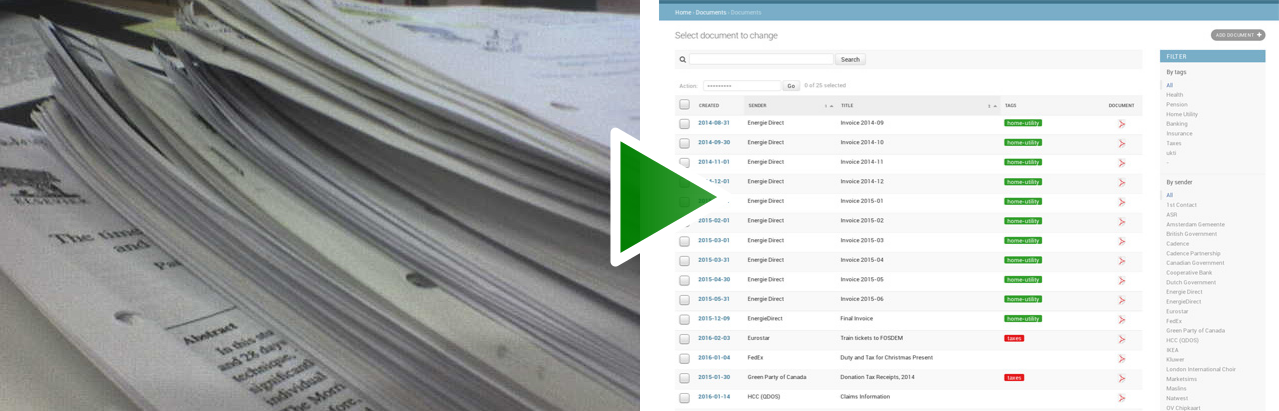
|
||||
|
||||
|
||||
## Dokumentation
|
||||
|
||||
Diese ist komplett verfügbar auf [ReadTheDocs](https://paperless.readthedocs.org/).
|
||||
|
||||
|
||||
## Anforderungen
|
||||
|
||||
Dies alles ist eine wirklich ziemlich einfache, glänzende und benutzerfreundliche Hülle rund um einige sehr mächtige Werkzeuge.
|
||||
|
||||
* [ImageMagick](http://imagemagick.org/) wandelt Bilder zwischen Farbe und Graustufen um.
|
||||
* [Tesseract](https://github.com/tesseract-ocr) erledigt die Buchstabenerkennung.
|
||||
* [Unpaper](https://www.flameeyes.eu/projects/unpaper) bereinigt und begradigt das eingescannte Bild.
|
||||
* [GNU Privacy Guard](https://gnupg.org/) wird als Verschlüsselungsbackend genutzt.
|
||||
* [Python 3](https://python.org/) ist die Sprache des Projekts.
|
||||
* [Pillow](https://pypi.python.org/pypi/pillowfight/) lädt die Bilddaten als Python-Objekt, um sie mit PyOCR zu verwenden.
|
||||
* [PyOCR](https://github.com/jflesch/pyocr) ist ein glatter, programmatischer Wrapper um Tesseract.
|
||||
* [Django](https://www.djangoproject.com/) ist das Framework, auf das dieses Projekt aufbaut.
|
||||
* [Python-GNUPG](http://pythonhosted.org/python-gnupg/) entschlüsselt die PDFs auf Abruf, um das Herunterladen unverschlüsselter Dateien zu ermöglichen, während die verschlüsselten Dateien auf der Festplatte bleiben.
|
||||
|
||||
|
||||
## Status des Projekts
|
||||
|
||||
Dieses Projekt wurde um 2015 gestartet und es gibt viele Leute, die es verwenden. Warum auch immer ist es ziemlich beliebt in Deutschland -- vielleicht kann jemand dort drüben mich über das Warum aufklären.
|
||||
|
||||
Ich entwickle keine neuen Funktionen mehr für Paperless, weil es genau das tut, was ich brauche und meine Aufmerksamkeit meinem neuesten Projekt [Aletheia](https://github.com/danielquinn/aletheia) gewidmet ist. Ich verlasse jedoch nicht das Projekt. Ich bin glücklich damit, Pull Requests zu begutachten und Fragen im Issue-Bereich zu beantworten. Wenn du ein Entwickler bist und eine neue Funktion willst, reihe sie in den Issues ein und/oder sende einen PR! Ich bin glücklich damit, neue Sachen hinzuzufügen, habe aber einfach nicht die Zeit, sie selbst zu erarbeiten.
|
||||
|
||||
|
||||
## Verknüpfte Prjekte
|
||||
|
||||
Paperless gibt es bereits seit einer Weile und Leute haben damit angefangen, Sachen rund um Paperless zu entwickeln. Wenn du einer dieser Menschen bist, kannst du dein Projekt zu dieser Liste hinzufügen:
|
||||
|
||||
* [Paperless Desktop](https://github.com/thomasbrueggemann/paperless-desktop): Eine Desktop-Oberfläche für deine Paperless-Installation. Läuft auf Mac, Linux und Windows.
|
||||
* [ansible-role-paperless](https://github.com/ovv/ansible-role-paperless): Eine einfache Möglichkeit, Paperless via Ansible laufen zu lassen.
|
||||
|
||||
|
||||
## Ähnliche Projekte
|
||||
|
||||
Es gibt da draußen auch das Projekt [Mayan EDMS](https://mayan.readthedocs.org/en/latest/), welches überraschenderweise sehr große überschneidende Techniken hat wie Paperless. Mayan EDMS ist *viel* funktionsreicher und kommt ebenso mit einer glatten UI, aber kommt noch mit Python2; basiert jedoch auch auf Django und verwendet ein Konsummodell mit Tesseract und Unpaper. Es kann sein, dass Paperless weniger Ressourcen verbraucht, aber um ehrlich zu sein, hab ich das noch nicht selbst getestet. Eine Sache jedoch ist klar, *Paperless* ist ein **viel** besserer Name.
|
||||
|
||||
|
||||
## Wichtiger Hinweis
|
||||
|
||||
Dokumentenscanner werden typerweise verwendet, um sensible Dokumente zu scannen. Dinge wie die Sozialversicherungsnummer, Steueraufzeichnungen, Rechnungen, etc. Während Paperless die Originaldateien über das Konsumskript verschlüsselt, sind die OCR-Texte *nicht* verschlüsselt und demnach in Klartext gespeichert (es muss durchsuchbar sein, also wenn jemand eine Idee hat, wie man das mit verschlüsselten Daten tun kann: Ich bin ganz Ohr). Das bedeutet, dass Paperless niemals auf einem nicht vertrauten Host laufen sollte. Stattdessen empfehle ich, wenn du es verwenden willst, es lokal auf einem Server in deinem Zuhause laufen zu lassen.
|
||||
|
||||
|
||||
## Spenden
|
||||
|
||||
Wie mit aller Freier Software, liegt die Macht weniger in den Finanzen als mehr in den gemeinsamen Bemühungen. Ich schätze wirklich jeden Pull Request und Bugreport, der von Benutzern von Paperless getätigt wird, also bitte macht damit weiter. Wenn du jedoch nicht einer für Programmieren/Design/Dokumentation bist und mich wirklich finanziell unterstützen willst, sage ich nicht nein dazu ;-)
|
||||
|
||||
Das Ding ist, mir geht es finanziell OK, also würde ich dich darum bitten, an den [Hochkommissar der Vereinten Nationen für Flüchtlinge](https://donate.unhcr.org/int-en/general) zu spenden. Diese machen wichtige Arbeit und brauchen das Geld viel dringender als ich.
|
||||
@@ -1,4 +1,5 @@
|
||||
*[English](README.md)*
|
||||
*[English](README.md)*<br/>
|
||||
*[German](README-de.md)*
|
||||
|
||||
# Paperless
|
||||
|
||||
|
||||
@@ -1,3 +1,4 @@
|
||||
*[German](README-de.md)*<br/>
|
||||
*[Greek](README-el.md)*
|
||||
|
||||
# Paperless
|
||||
|
||||
@@ -1,8 +1,9 @@
|
||||
# Environment variables to set for Paperless
|
||||
# Commented out variables will be replaced by a default within Paperless.
|
||||
|
||||
# Passphrase Paperless uses to encrypt and decrypt your documents
|
||||
PAPERLESS_PASSPHRASE=CHANGE_ME
|
||||
# Passphrase Paperless uses to encrypt and decrypt your documents, if you want
|
||||
# encryption at all.
|
||||
# PAPERLESS_PASSPHRASE=CHANGE_ME
|
||||
|
||||
# The amount of threads to use for text recognition
|
||||
# PAPERLESS_OCR_THREADS=4
|
||||
|
||||
@@ -1,6 +1,57 @@
|
||||
Changelog
|
||||
#########
|
||||
|
||||
2.1.0
|
||||
=====
|
||||
|
||||
* `Enno Lohmeier`_ added three simple features that make Paperless a lot more
|
||||
user (and developer) friendly:
|
||||
|
||||
1. There's a new search box on the front page: `#374`_.
|
||||
2. The correspondents & tags pages now have a column showing the number of
|
||||
relevant documents: `#375`_.
|
||||
3. The Dockerfile has been tweaked to build faster for those of us who are
|
||||
doing active development on Paperless using the Docker environment:
|
||||
`#376`_.
|
||||
|
||||
* You now also have the ability to customise the interface to your heart's
|
||||
content by creating a file called ``overrides.css`` and/or ``overrides.js``
|
||||
in the root of your media directory. Thanks to `Mark McFate`_ for this
|
||||
idea: `#371`_
|
||||
|
||||
|
||||
2.0.0
|
||||
=====
|
||||
|
||||
This is a big release as we've changed a core-functionality of Paperless: we no
|
||||
longer encrypt files with GPG by default.
|
||||
|
||||
The reasons for this are many, but it boils down to that the encryption wasn't
|
||||
really all that useful, as files on-disk were still accessible so long as you
|
||||
had the key, and the key was most typically stored in the config file. In
|
||||
other words, your files are only as safe as the ``paperless`` user is. In
|
||||
addition to that, *the contents of the documents were never encrypted*, so
|
||||
important numbers etc. were always accessible simply by querying the database.
|
||||
Still, it was better than nothing, but the consensus from users appears to be
|
||||
that it was more an annoyance than anything else, so this feature is now turned
|
||||
off unless you explicitly set a passphrase in your config file.
|
||||
|
||||
Migrating from 1.x
|
||||
------------------
|
||||
|
||||
Encryption isn't gone, it's just off for new users. So long as you have
|
||||
``PAPERLESS_PASSPHRASE`` set in your config or your environment, Paperless
|
||||
should continue to operate as it always has. If however, you want to drop
|
||||
encryption too, you only need to do two things:
|
||||
|
||||
1. Run ``./manage.py migrate && ./manage.py change_storage_type gpg unencrypted``.
|
||||
This will go through your entire database and Decrypt All The Things.
|
||||
2. Remove ``PAPERLESS_PASSPHRASE`` from your ``paperless.conf`` file, or simply
|
||||
stop declaring it in your environment.
|
||||
|
||||
Special thanks to `erikarvstedt`_, `matthewmoto`_, and `mcronce`_ who did the
|
||||
bulk of the work on this big change.
|
||||
|
||||
1.4.0
|
||||
=====
|
||||
|
||||
@@ -397,6 +448,9 @@ Changelog
|
||||
.. _erikarvstedt: https://github.com/erikarvstedt
|
||||
.. _Kyle Lucy: https://github.com/kmlucy
|
||||
.. _thinkjk: https://github.com/thinkjk
|
||||
.. _mcronce: https://github.com/mcronce
|
||||
.. _Enno Lohmeier: https://github.com/elohmeier
|
||||
.. _Mark McFate: https://github.com/SummittDweller
|
||||
|
||||
.. _#20: https://github.com/danielquinn/paperless/issues/20
|
||||
.. _#44: https://github.com/danielquinn/paperless/issues/44
|
||||
@@ -467,6 +521,10 @@ Changelog
|
||||
.. _#351: https://github.com/danielquinn/paperless/pull/351
|
||||
.. _#352: https://github.com/danielquinn/paperless/pull/352
|
||||
.. _#354: https://github.com/danielquinn/paperless/issues/354
|
||||
.. _#371: https://github.com/danielquinn/paperless/issues/371
|
||||
.. _#374: https://github.com/danielquinn/paperless/pull/374
|
||||
.. _#375: https://github.com/danielquinn/paperless/pull/375
|
||||
.. _#376: https://github.com/danielquinn/paperless/pull/376
|
||||
|
||||
.. _pipenv: https://docs.pipenv.org/
|
||||
.. _a new home on Docker Hub: https://hub.docker.com/r/danielquinn/paperless/
|
||||
|
||||
@@ -17,7 +17,8 @@ The primary method of getting documents into your database is by putting them in
|
||||
the consumption directory. The ``document_consumer`` script runs in an infinite
|
||||
loop looking for new additions to this directory and when it finds them, it goes
|
||||
about the process of parsing them with the OCR, indexing what it finds, and
|
||||
encrypting the PDF, storing it in the media directory.
|
||||
encrypting the PDF (if ``PAPERLESS_PASSPHRASE`` is set), storing it in the
|
||||
media directory.
|
||||
|
||||
Getting stuff into this directory is up to you. If you're running Paperless
|
||||
on your local computer, you might just want to drag and drop files there, but if
|
||||
|
||||
42
docs/customising.rst
Normal file
42
docs/customising.rst
Normal file
@@ -0,0 +1,42 @@
|
||||
.. _customising:
|
||||
|
||||
Customising Paperless
|
||||
#####################
|
||||
|
||||
Currently, the Paperless' interface is just the default Django admin, which
|
||||
while powerful, is rather boring. If you'd like to give the site a bit of a
|
||||
face-lift, or if you simply want to adjust the colours, contrast, or font size
|
||||
to make things easier to read, you can do that by adding your own CSS or
|
||||
Javascript quite easily.
|
||||
|
||||
|
||||
.. _customising-overrides:
|
||||
|
||||
Overrides
|
||||
=========
|
||||
|
||||
On every page load, Paperless looks for two files in your media root directory
|
||||
(the directory defined by your ``PAPERLESS_MEDIADIR`` configuration variable or
|
||||
the default, ``<project root>/media/``) for two files:
|
||||
|
||||
* ``overrides.css``
|
||||
* ``overrides.js``
|
||||
|
||||
If it finds either or both of those files, they'll be loaded into the page: the
|
||||
CSS in the ``<head>``, and the Javascript stuffed into the last line of the
|
||||
``<body>``.
|
||||
|
||||
|
||||
.. _customising-overrides-note:
|
||||
|
||||
An important note about customisation
|
||||
-------------------------------------
|
||||
|
||||
Any changes you make to the site with your CSS or Javascript are likely to
|
||||
depend on the structure of the current HTML and/or the existing CSS rules. For
|
||||
the most part it's safe to assume that these bits won't change, but *sometimes
|
||||
they do* as features are added or bugs are fixed.
|
||||
|
||||
If you make a change that you think others would appreciate though, submit it
|
||||
as a pull request and maybe we can find a way to work it into the project by
|
||||
default!
|
||||
@@ -20,6 +20,8 @@ for you. This is is the logic the consumer follows:
|
||||
the pattern: ``Date - Correspondent - Title - tag,tag,tag.pdf``. Note that
|
||||
the format of the date is **rigidly defined** as ``YYYYMMDDHHMMSSZ`` or
|
||||
``YYYYMMDDZ``. The ``Z`` refers "Zulu time" AKA "UTC".
|
||||
The tags are optional, so the format ``Date - Correspondent - Title.pdf``
|
||||
works as well.
|
||||
2. If that doesn't work, we skip the date and try this pattern:
|
||||
``Correspondent - Title - tag,tag,tag.pdf``.
|
||||
3. If that doesn't work, we try to find the correspondent and title in the file
|
||||
|
||||
@@ -40,6 +40,7 @@ Contents
|
||||
utilities
|
||||
guesswork
|
||||
migrating
|
||||
customising
|
||||
extending
|
||||
troubleshooting
|
||||
scanners
|
||||
|
||||
@@ -16,7 +16,7 @@ Backing Up
|
||||
----------
|
||||
|
||||
So you're bored of this whole project, or you want to make a remote backup of
|
||||
the unencrypted files for whatever reason. This is easy to do, simply use the
|
||||
your files for whatever reason. This is easy to do, simply use the
|
||||
:ref:`exporter <utilities-exporter>` to dump your documents and database out
|
||||
into an arbitrary directory.
|
||||
|
||||
|
||||
@@ -63,17 +63,18 @@ Standard (Bare Metal)
|
||||
|
||||
1. Install the requirements as per the :ref:`requirements <requirements>` page.
|
||||
2. Within the extract of master.zip go to the ``src`` directory.
|
||||
3. Copy ``../paperless.conf.example`` to ``/etc/paperless.conf`` also the virtual
|
||||
envrionment look there for it and open it in your favourite editor.
|
||||
Because this file contains passwords it should only be readable by user root
|
||||
and paperless ! Set the values for:
|
||||
3. Copy ``../paperless.conf.example`` to ``/etc/paperless.conf`` and open it in
|
||||
your favourite editor. Because this file contains passwords it should only
|
||||
be readable by user root and paperless! Set the values for:
|
||||
|
||||
* ``PAPERLESS_CONSUMPTION_DIR``: this is where your documents will be
|
||||
dumped to be consumed by Paperless.
|
||||
* ``PAPERLESS_PASSPHRASE``: this is the passphrase Paperless uses to
|
||||
encrypt/decrypt the original document.
|
||||
* ``PAPERLESS_OCR_THREADS``: this is the number of threads the OCR process
|
||||
will spawn to process document pages in parallel.
|
||||
* ``PAPERLESS_PASSPHRASE``: this is only required if you want to use GPG to
|
||||
encrypt your document files. This is the passphrase Paperless uses to
|
||||
encrypt/decrypt the original documents. Don't worry about defining this
|
||||
if you don't want to use encryption (the default).
|
||||
|
||||
4. Initialise the SQLite database with ``./manage.py migrate``.
|
||||
5. Create a user for your Paperless instance with
|
||||
@@ -139,7 +140,8 @@ Docker Method
|
||||
|
||||
``PAPERLESS_PASSPHRASE``
|
||||
This is the passphrase Paperless uses to encrypt/decrypt the original
|
||||
document.
|
||||
document. If you aren't planning on using GPG encryption, you can just
|
||||
leave this undefined.
|
||||
|
||||
``PAPERLESS_OCR_THREADS``
|
||||
This is the number of threads the OCR process will spawn to process
|
||||
@@ -265,10 +267,11 @@ Vagrant Method
|
||||
3. Run ``vagrant ssh`` and once inside your new vagrant box, edit
|
||||
``/etc/paperless.conf`` and set the values for:
|
||||
|
||||
* ``PAPERLESS_CONSUMPTION_DIR``: this is where your documents will be
|
||||
* ``PAPERLESS_CONSUMPTION_DIR``: This is where your documents will be
|
||||
dumped to be consumed by Paperless.
|
||||
* ``PAPERLESS_PASSPHRASE``: this is the passphrase Paperless uses to
|
||||
encrypt/decrypt the original document.
|
||||
* ``PAPERLESS_PASSPHRASE``: This is the passphrase Paperless uses to
|
||||
encrypt/decrypt the original document. It's only required if you want
|
||||
your original files to be encrypted, otherwise, just leave it unset.
|
||||
* ``PAPERLESS_EMAIL_SECRET``: this is the "magic word" used when consuming
|
||||
documents from mail or via the API. If you don't use either, leaving it
|
||||
blank is just fine.
|
||||
|
||||
@@ -59,8 +59,8 @@ for documents to parse and index. The process is pretty straightforward:
|
||||
4. Attempt to automatically assign document attributes by doing some guesswork.
|
||||
Read up on the :ref:`guesswork documentation<guesswork>` for more
|
||||
information about this process.
|
||||
5. Encrypt the document and store it in the ``media`` directory under
|
||||
``documents/originals``.
|
||||
5. Encrypt the document (if you have a passphrase set) and store it in the
|
||||
``media`` directory under ``documents/originals``.
|
||||
6. Go to #1.
|
||||
|
||||
|
||||
|
||||
@@ -59,19 +59,19 @@ PAPERLESS_EMAIL_SECRET=""
|
||||
#### Security ####
|
||||
###############################################################################
|
||||
|
||||
# You must have a passphrase in order for Paperless to work at all. If you set
|
||||
# this to "", GNUGPG will "encrypt" your PDF by writing it out as a zero-byte
|
||||
# file.
|
||||
#
|
||||
# The passphrase you use here will be used when storing your documents in
|
||||
# Paperless, but you can always export them in an unencrypted format by using
|
||||
# document exporter. See the documentation for more information.
|
||||
# Paperless can be instructed to attempt to encrypt your PDF files with GPG
|
||||
# using the PAPERLESS_PASSPHRASE specified below. If however you're not
|
||||
# concerned about encrypting these files (for example if you have disk
|
||||
# encryption locally) then you don't need this and can safely leave this value
|
||||
# un-set.
|
||||
#
|
||||
# One final note about the passphrase. Once you've consumed a document with
|
||||
# one passphrase, DON'T CHANGE IT. Paperless assumes this to be a constant and
|
||||
# can't properly export documents that were encrypted with an old passphrase if
|
||||
# you've since changed it to a new one.
|
||||
PAPERLESS_PASSPHRASE="secret"
|
||||
#
|
||||
# The default is to not use encryption at all.
|
||||
#PAPERLESS_PASSPHRASE="secret"
|
||||
|
||||
|
||||
# The secret key has a default that should be fine so long as you're hosting
|
||||
|
||||
@@ -0,0 +1 @@
|
||||
from .checks import changed_password_check
|
||||
|
||||
@@ -105,17 +105,24 @@ class CommonAdmin(admin.ModelAdmin):
|
||||
|
||||
class CorrespondentAdmin(CommonAdmin):
|
||||
|
||||
list_display = ("name", "match", "matching_algorithm")
|
||||
list_display = ("name", "match", "matching_algorithm", "document_count")
|
||||
list_filter = ("matching_algorithm",)
|
||||
list_editable = ("match", "matching_algorithm")
|
||||
|
||||
def document_count(self, obj):
|
||||
return obj.documents.count()
|
||||
|
||||
|
||||
class TagAdmin(CommonAdmin):
|
||||
|
||||
list_display = ("name", "colour", "match", "matching_algorithm")
|
||||
list_display = ("name", "colour", "match", "matching_algorithm",
|
||||
"document_count")
|
||||
list_filter = ("colour", "matching_algorithm")
|
||||
list_editable = ("colour", "match", "matching_algorithm")
|
||||
|
||||
def document_count(self, obj):
|
||||
return obj.documents.count()
|
||||
|
||||
|
||||
class DocumentAdmin(CommonAdmin):
|
||||
|
||||
|
||||
39
src/documents/checks.py
Normal file
39
src/documents/checks.py
Normal file
@@ -0,0 +1,39 @@
|
||||
import textwrap
|
||||
|
||||
from django.conf import settings
|
||||
from django.core.checks import Error, register
|
||||
from django.db.utils import OperationalError
|
||||
|
||||
|
||||
@register()
|
||||
def changed_password_check(app_configs, **kwargs):
|
||||
|
||||
from documents.models import Document
|
||||
from paperless.db import GnuPG
|
||||
|
||||
try:
|
||||
encrypted_doc = Document.objects.filter(
|
||||
storage_type=Document.STORAGE_TYPE_GPG).first()
|
||||
except OperationalError:
|
||||
return [] # No documents table yet
|
||||
|
||||
if encrypted_doc:
|
||||
|
||||
if not settings.PASSPHRASE:
|
||||
return [Error(
|
||||
"The database contains encrypted documents but no password "
|
||||
"is set."
|
||||
)]
|
||||
|
||||
if not GnuPG.decrypted(encrypted_doc.source_file):
|
||||
return [Error(textwrap.dedent(
|
||||
"""
|
||||
The current password doesn't match the password of the
|
||||
existing documents.
|
||||
|
||||
If you intend to change your password, you must first export
|
||||
all of the old documents, start fresh with the new password
|
||||
and then re-import them."
|
||||
"""))]
|
||||
|
||||
return []
|
||||
@@ -29,7 +29,7 @@ class Consumer:
|
||||
Loop over every file found in CONSUMPTION_DIR and:
|
||||
1. Convert it to a greyscale pnm
|
||||
2. Use tesseract on the pnm
|
||||
3. Encrypt and store the document in the MEDIA_ROOT
|
||||
3. Store the document in the MEDIA_ROOT with optional encryption
|
||||
4. Store the OCR'd text in the database
|
||||
5. Delete the document and image(s)
|
||||
"""
|
||||
@@ -50,6 +50,10 @@ class Consumer:
|
||||
|
||||
os.makedirs(self.scratch, exist_ok=True)
|
||||
|
||||
self.storage_type = Document.STORAGE_TYPE_UNENCRYPTED
|
||||
if settings.PASSPHRASE:
|
||||
self.storage_type = Document.STORAGE_TYPE_GPG
|
||||
|
||||
if not self.consume:
|
||||
raise ConsumerError(
|
||||
"The CONSUMPTION_DIR settings variable does not appear to be "
|
||||
@@ -213,7 +217,8 @@ class Consumer:
|
||||
file_type=file_info.extension,
|
||||
checksum=hashlib.md5(f.read()).hexdigest(),
|
||||
created=created,
|
||||
modified=created
|
||||
modified=created,
|
||||
storage_type=self.storage_type
|
||||
)
|
||||
|
||||
relevant_tags = set(list(Tag.match_all(text)) + list(file_info.tags))
|
||||
@@ -222,22 +227,22 @@ class Consumer:
|
||||
self.log("debug", "Tagging with {}".format(tag_names))
|
||||
document.tags.add(*relevant_tags)
|
||||
|
||||
# Encrypt and store the actual document
|
||||
with open(doc, "rb") as unencrypted:
|
||||
with open(document.source_path, "wb") as encrypted:
|
||||
self.log("debug", "Encrypting the document")
|
||||
encrypted.write(GnuPG.encrypted(unencrypted))
|
||||
|
||||
# Encrypt and store the thumbnail
|
||||
with open(thumbnail, "rb") as unencrypted:
|
||||
with open(document.thumbnail_path, "wb") as encrypted:
|
||||
self.log("debug", "Encrypting the thumbnail")
|
||||
encrypted.write(GnuPG.encrypted(unencrypted))
|
||||
self._write(document, doc, document.source_path)
|
||||
self._write(document, thumbnail, document.thumbnail_path)
|
||||
|
||||
self.log("info", "Completed")
|
||||
|
||||
return document
|
||||
|
||||
def _write(self, document, source, target):
|
||||
with open(source, "rb") as read_file:
|
||||
with open(target, "wb") as write_file:
|
||||
if document.storage_type == Document.STORAGE_TYPE_UNENCRYPTED:
|
||||
write_file.write(read_file.read())
|
||||
return
|
||||
self.log("debug", "Encrypting")
|
||||
write_file.write(GnuPG.encrypted(read_file))
|
||||
|
||||
def _cleanup_doc(self, doc):
|
||||
self.log("debug", "Deleting document {}".format(doc))
|
||||
os.unlink(doc)
|
||||
|
||||
@@ -8,7 +8,6 @@ from django import forms
|
||||
from django.conf import settings
|
||||
|
||||
from .models import Document, Correspondent
|
||||
from .consumer import Consumer
|
||||
|
||||
|
||||
class UploadForm(forms.Form):
|
||||
|
||||
119
src/documents/management/commands/change_storage_type.py
Normal file
119
src/documents/management/commands/change_storage_type.py
Normal file
@@ -0,0 +1,119 @@
|
||||
import os
|
||||
|
||||
from django.conf import settings
|
||||
from django.core.management.base import BaseCommand, CommandError
|
||||
from termcolor import colored as coloured
|
||||
|
||||
from documents.models import Document
|
||||
from paperless.db import GnuPG
|
||||
|
||||
|
||||
class Command(BaseCommand):
|
||||
|
||||
help = (
|
||||
"This is how you migrate your stored documents from an encrypted "
|
||||
"state to an unencrypted one (or vice-versa)"
|
||||
)
|
||||
|
||||
def add_arguments(self, parser):
|
||||
|
||||
parser.add_argument(
|
||||
"from",
|
||||
choices=("gpg", "unencrypted"),
|
||||
help="The state you want to change your documents from"
|
||||
)
|
||||
parser.add_argument(
|
||||
"to",
|
||||
choices=("gpg", "unencrypted"),
|
||||
help="The state you want to change your documents to"
|
||||
)
|
||||
parser.add_argument(
|
||||
"--passphrase",
|
||||
help="If PAPERLESS_PASSPHRASE isn't set already, you need to "
|
||||
"specify it here"
|
||||
)
|
||||
|
||||
def handle(self, *args, **options):
|
||||
|
||||
try:
|
||||
print(coloured(
|
||||
"\n\nWARNING: This script is going to work directly on your "
|
||||
"document originals, so\nWARNING: you probably shouldn't run "
|
||||
"this unless you've got a recent backup\nWARNING: handy. It "
|
||||
"*should* work without a hitch, but be safe and backup your\n"
|
||||
"WARNING: stuff first.\n\nHit Ctrl+C to exit now, or Enter to "
|
||||
"continue.\n\n",
|
||||
"yellow",
|
||||
attrs=("bold",)
|
||||
))
|
||||
__ = input()
|
||||
except KeyboardInterrupt:
|
||||
return
|
||||
|
||||
if options["from"] == options["to"]:
|
||||
raise CommandError(
|
||||
'The "from" and "to" values can\'t be the same.'
|
||||
)
|
||||
|
||||
passphrase = options["passphrase"] or settings.PASSPHRASE
|
||||
if not passphrase:
|
||||
raise CommandError(
|
||||
"Passphrase not defined. Please set it with --passphrase or "
|
||||
"by declaring it in your environment or your config."
|
||||
)
|
||||
|
||||
if options["from"] == "gpg" and options["to"] == "unencrypted":
|
||||
self.__gpg_to_unencrypted(passphrase)
|
||||
elif options["from"] == "unencrypted" and options["to"] == "gpg":
|
||||
self.__unencrypted_to_gpg(passphrase)
|
||||
|
||||
@staticmethod
|
||||
def __gpg_to_unencrypted(passphrase):
|
||||
|
||||
encrypted_files = Document.objects.filter(
|
||||
storage_type=Document.STORAGE_TYPE_GPG)
|
||||
|
||||
for document in encrypted_files:
|
||||
|
||||
print(coloured("Decrypting {}".format(document), "green"))
|
||||
|
||||
old_paths = [document.source_path, document.thumbnail_path]
|
||||
raw_document = GnuPG.decrypted(document.source_file, passphrase)
|
||||
raw_thumb = GnuPG.decrypted(document.thumbnail_file, passphrase)
|
||||
|
||||
document.storage_type = Document.STORAGE_TYPE_UNENCRYPTED
|
||||
|
||||
with open(document.source_path, "wb") as f:
|
||||
f.write(raw_document)
|
||||
|
||||
with open(document.thumbnail_path, "wb") as f:
|
||||
f.write(raw_thumb)
|
||||
|
||||
document.save(update_fields=("storage_type",))
|
||||
|
||||
for path in old_paths:
|
||||
os.unlink(path)
|
||||
|
||||
@staticmethod
|
||||
def __unencrypted_to_gpg(passphrase):
|
||||
|
||||
unencrypted_files = Document.objects.filter(
|
||||
storage_type=Document.STORAGE_TYPE_UNENCRYPTED)
|
||||
|
||||
for document in unencrypted_files:
|
||||
|
||||
print(coloured("Encrypting {}".format(document), "green"))
|
||||
|
||||
old_paths = [document.source_path, document.thumbnail_path]
|
||||
with open(document.source_path, "rb") as raw_document:
|
||||
with open(document.thumbnail_path, "rb") as raw_thumb:
|
||||
document.storage_type = Document.STORAGE_TYPE_GPG
|
||||
with open(document.source_path, "wb") as f:
|
||||
f.write(GnuPG.encrypted(raw_document, passphrase))
|
||||
with open(document.thumbnail_path, "wb") as f:
|
||||
f.write(GnuPG.encrypted(raw_thumb, passphrase))
|
||||
|
||||
document.save(update_fields=("storage_type",))
|
||||
|
||||
for path in old_paths:
|
||||
os.unlink(path)
|
||||
@@ -1,8 +1,8 @@
|
||||
import json
|
||||
import os
|
||||
import time
|
||||
import shutil
|
||||
|
||||
from django.conf import settings
|
||||
from django.core.management.base import BaseCommand, CommandError
|
||||
from django.core import serializers
|
||||
|
||||
@@ -45,9 +45,6 @@ class Command(Renderable, BaseCommand):
|
||||
if not os.access(self.target, os.W_OK):
|
||||
raise CommandError("That path doesn't appear to be writable")
|
||||
|
||||
if not settings.PASSPHRASE:
|
||||
settings.PASSPHRASE = input("Please enter the passphrase: ")
|
||||
|
||||
if options["legacy"]:
|
||||
self.dump_legacy()
|
||||
else:
|
||||
@@ -73,13 +70,20 @@ class Command(Renderable, BaseCommand):
|
||||
print("Exporting: {}".format(file_target))
|
||||
|
||||
t = int(time.mktime(document.created.timetuple()))
|
||||
with open(file_target, "wb") as f:
|
||||
f.write(GnuPG.decrypted(document.source_file))
|
||||
os.utime(file_target, times=(t, t))
|
||||
if document.storage_type == Document.STORAGE_TYPE_GPG:
|
||||
|
||||
with open(thumbnail_target, "wb") as f:
|
||||
f.write(GnuPG.decrypted(document.thumbnail_file))
|
||||
os.utime(thumbnail_target, times=(t, t))
|
||||
with open(file_target, "wb") as f:
|
||||
f.write(GnuPG.decrypted(document.source_file))
|
||||
os.utime(file_target, times=(t, t))
|
||||
|
||||
with open(thumbnail_target, "wb") as f:
|
||||
f.write(GnuPG.decrypted(document.thumbnail_file))
|
||||
os.utime(thumbnail_target, times=(t, t))
|
||||
|
||||
else:
|
||||
|
||||
shutil.copy(document.source_path, file_target)
|
||||
shutil.copy(document.thumbnail_path, thumbnail_target)
|
||||
|
||||
manifest += json.loads(
|
||||
serializers.serialize("json", Correspondent.objects.all()))
|
||||
|
||||
@@ -1,5 +1,6 @@
|
||||
import json
|
||||
import os
|
||||
import shutil
|
||||
|
||||
from django.conf import settings
|
||||
from django.core.management.base import BaseCommand, CommandError
|
||||
@@ -46,12 +47,6 @@ class Command(Renderable, BaseCommand):
|
||||
|
||||
self._check_manifest()
|
||||
|
||||
if not settings.PASSPHRASE:
|
||||
raise CommandError(
|
||||
"You need to define a passphrase before continuing. Please "
|
||||
"consult the documentation for setting up Paperless."
|
||||
)
|
||||
|
||||
# Fill up the database with whatever is in the manifest
|
||||
call_command("loaddata", manifest_path)
|
||||
|
||||
@@ -99,14 +94,21 @@ class Command(Renderable, BaseCommand):
|
||||
document_path = os.path.join(self.source, doc_file)
|
||||
thumbnail_path = os.path.join(self.source, thumb_file)
|
||||
|
||||
with open(document_path, "rb") as unencrypted:
|
||||
with open(document.source_path, "wb") as encrypted:
|
||||
print("Encrypting {} and saving it to {}".format(
|
||||
doc_file, document.source_path))
|
||||
encrypted.write(GnuPG.encrypted(unencrypted))
|
||||
if document.storage_type == Document.STORAGE_TYPE_GPG:
|
||||
|
||||
with open(thumbnail_path, "rb") as unencrypted:
|
||||
with open(document.thumbnail_path, "wb") as encrypted:
|
||||
print("Encrypting {} and saving it to {}".format(
|
||||
thumb_file, document.thumbnail_path))
|
||||
encrypted.write(GnuPG.encrypted(unencrypted))
|
||||
with open(document_path, "rb") as unencrypted:
|
||||
with open(document.source_path, "wb") as encrypted:
|
||||
print("Encrypting {} and saving it to {}".format(
|
||||
doc_file, document.source_path))
|
||||
encrypted.write(GnuPG.encrypted(unencrypted))
|
||||
|
||||
with open(thumbnail_path, "rb") as unencrypted:
|
||||
with open(document.thumbnail_path, "wb") as encrypted:
|
||||
print("Encrypting {} and saving it to {}".format(
|
||||
thumb_file, document.thumbnail_path))
|
||||
encrypted.write(GnuPG.encrypted(unencrypted))
|
||||
|
||||
else:
|
||||
|
||||
shutil.copy(document_path, document.source_path)
|
||||
shutil.copy(thumbnail_path, document.thumbnail_path)
|
||||
|
||||
30
src/documents/migrations/0021_document_storage_type.py
Normal file
30
src/documents/migrations/0021_document_storage_type.py
Normal file
@@ -0,0 +1,30 @@
|
||||
# -*- coding: utf-8 -*-
|
||||
# Generated by Django 1.11.10 on 2018-02-04 13:07
|
||||
from __future__ import unicode_literals
|
||||
|
||||
from django.db import migrations, models
|
||||
|
||||
|
||||
class Migration(migrations.Migration):
|
||||
|
||||
dependencies = [
|
||||
('documents', '0020_document_added'),
|
||||
]
|
||||
|
||||
operations = [
|
||||
|
||||
# Add the field with the default GPG-encrypted value
|
||||
migrations.AddField(
|
||||
model_name='document',
|
||||
name='storage_type',
|
||||
field=models.CharField(choices=[('unencrypted', 'Unencrypted'), ('gpg', 'Encrypted with GNU Privacy Guard')], default='gpg', editable=False, max_length=11),
|
||||
),
|
||||
|
||||
# Now that the field is added, change the default to unencrypted
|
||||
migrations.AlterField(
|
||||
model_name='document',
|
||||
name='storage_type',
|
||||
field=models.CharField(choices=[('unencrypted', 'Unencrypted'), ('gpg', 'Encrypted with GNU Privacy Guard')], default='unencrypted', editable=False, max_length=11),
|
||||
),
|
||||
|
||||
]
|
||||
@@ -57,7 +57,7 @@ class MatchingModel(models.Model):
|
||||
|
||||
is_insensitive = models.BooleanField(default=True)
|
||||
|
||||
class Meta(object):
|
||||
class Meta:
|
||||
abstract = True
|
||||
|
||||
def __str__(self):
|
||||
@@ -156,7 +156,7 @@ class Correspondent(MatchingModel):
|
||||
# better safe than sorry.
|
||||
SAFE_REGEX = re.compile(r"^[\w\- ,.']+$")
|
||||
|
||||
class Meta(object):
|
||||
class Meta:
|
||||
ordering = ("name",)
|
||||
|
||||
|
||||
@@ -190,6 +190,13 @@ class Document(models.Model):
|
||||
TYPE_TIF = "tiff"
|
||||
TYPES = (TYPE_PDF, TYPE_PNG, TYPE_JPG, TYPE_GIF, TYPE_TIF,)
|
||||
|
||||
STORAGE_TYPE_UNENCRYPTED = "unencrypted"
|
||||
STORAGE_TYPE_GPG = "gpg"
|
||||
STORAGE_TYPES = (
|
||||
(STORAGE_TYPE_UNENCRYPTED, "Unencrypted"),
|
||||
(STORAGE_TYPE_GPG, "Encrypted with GNU Privacy Guard")
|
||||
)
|
||||
|
||||
correspondent = models.ForeignKey(
|
||||
Correspondent,
|
||||
blank=True,
|
||||
@@ -229,10 +236,18 @@ class Document(models.Model):
|
||||
default=timezone.now, db_index=True)
|
||||
modified = models.DateTimeField(
|
||||
auto_now=True, editable=False, db_index=True)
|
||||
|
||||
storage_type = models.CharField(
|
||||
max_length=11,
|
||||
choices=STORAGE_TYPES,
|
||||
default=STORAGE_TYPE_UNENCRYPTED,
|
||||
editable=False
|
||||
)
|
||||
|
||||
added = models.DateTimeField(
|
||||
default=timezone.now, editable=False, db_index=True)
|
||||
|
||||
class Meta(object):
|
||||
class Meta:
|
||||
ordering = ("correspondent", "title")
|
||||
|
||||
def __str__(self):
|
||||
@@ -246,11 +261,16 @@ class Document(models.Model):
|
||||
|
||||
@property
|
||||
def source_path(self):
|
||||
|
||||
file_name = "{:07}.{}".format(self.pk, self.file_type)
|
||||
if self.storage_type == self.STORAGE_TYPE_GPG:
|
||||
file_name += ".gpg"
|
||||
|
||||
return os.path.join(
|
||||
settings.MEDIA_ROOT,
|
||||
"documents",
|
||||
"originals",
|
||||
"{:07}.{}.gpg".format(self.pk, self.file_type)
|
||||
file_name
|
||||
)
|
||||
|
||||
@property
|
||||
@@ -267,11 +287,16 @@ class Document(models.Model):
|
||||
|
||||
@property
|
||||
def thumbnail_path(self):
|
||||
|
||||
file_name = "{:07}.png".format(self.pk)
|
||||
if self.storage_type == self.STORAGE_TYPE_GPG:
|
||||
file_name += ".gpg"
|
||||
|
||||
return os.path.join(
|
||||
settings.MEDIA_ROOT,
|
||||
"documents",
|
||||
"thumbnails",
|
||||
"{:07}.png.gpg".format(self.pk)
|
||||
file_name
|
||||
)
|
||||
|
||||
@property
|
||||
@@ -301,7 +326,7 @@ class Log(models.Model):
|
||||
|
||||
objects = LogManager()
|
||||
|
||||
class Meta(object):
|
||||
class Meta:
|
||||
ordering = ("-modified",)
|
||||
|
||||
def __str__(self):
|
||||
|
||||
40
src/documents/templates/admin/base_site.html
Normal file
40
src/documents/templates/admin/base_site.html
Normal file
@@ -0,0 +1,40 @@
|
||||
{% extends 'admin/base_site.html' %}
|
||||
|
||||
{# NOTE: This should probably be extending base.html. See CSS comment below details. #}
|
||||
|
||||
|
||||
{% load custom_css from customisation %}
|
||||
{% load custom_js from customisation %}
|
||||
|
||||
|
||||
{% block blockbots %}
|
||||
|
||||
{% comment %}
|
||||
This really should be extending `extrastyle`, but the the
|
||||
django-flat-responsive package decided that it wanted to put its CSS in
|
||||
this block, so to make sure that overrides are in fact overriding
|
||||
everything else, we have to do the Wrong Thing here.
|
||||
|
||||
Once we switch to Django 2.x and drop django-flat-responsive, we should
|
||||
switch this to `extrastyle` where it should be.
|
||||
{% endcomment %}
|
||||
|
||||
{{ block.super }}
|
||||
|
||||
{% custom_css %}
|
||||
|
||||
{% endblock blockbots %}
|
||||
|
||||
|
||||
{% block footer %}
|
||||
|
||||
{% comment %}
|
||||
The Django admin doesn't have a block for Javascript you'd want placed in
|
||||
the footer, so we have to use this one instead.
|
||||
{% endcomment %}
|
||||
|
||||
{{ block.super }}
|
||||
|
||||
{% custom_js %}
|
||||
|
||||
{% endblock footer %}
|
||||
@@ -4,6 +4,24 @@
|
||||
{% load i18n static %}
|
||||
|
||||
|
||||
{# This block adds a search form on the admin start page and on the module start page so that #}
|
||||
{# the user can quickly search for documents #}
|
||||
{% block pretitle %}
|
||||
<div>
|
||||
<h3>{% trans 'Search documents' %}</h3>
|
||||
|
||||
<div id="toolbar"><form id="changelist-search" method="get" action="{% url 'admin:documents_document_changelist' %}">
|
||||
<div><!-- DIV needed for valid HTML -->
|
||||
<label for="searchbar"><img src="{% static "admin/img/search.svg" %}" alt="Search"></label>
|
||||
<input type="text" size="40" name="q" value="" id="searchbar" autofocus="">
|
||||
<input type="submit" value="{% trans 'Search' %}">
|
||||
</div>
|
||||
</form>
|
||||
</div>
|
||||
</div>
|
||||
{% endblock %}
|
||||
|
||||
|
||||
{# This whole block is here just to override the `get_admin_log` line so #}
|
||||
{# that the log entries aren't limited to the current user #}
|
||||
{% block sidebar %}
|
||||
|
||||
37
src/documents/templatetags/customisation.py
Normal file
37
src/documents/templatetags/customisation.py
Normal file
@@ -0,0 +1,37 @@
|
||||
import os
|
||||
|
||||
from django import template
|
||||
from django.conf import settings
|
||||
from django.utils.safestring import mark_safe
|
||||
|
||||
register = template.Library()
|
||||
|
||||
|
||||
@register.simple_tag()
|
||||
def custom_css():
|
||||
theme_path = os.path.join(
|
||||
settings.MEDIA_ROOT,
|
||||
"overrides.css"
|
||||
)
|
||||
if os.path.exists(theme_path):
|
||||
return mark_safe(
|
||||
'<link rel="stylesheet" type="text/css" href="{}" />'.format(
|
||||
os.path.join(settings.MEDIA_URL, "overrides.css")
|
||||
)
|
||||
)
|
||||
return ""
|
||||
|
||||
|
||||
@register.simple_tag()
|
||||
def custom_js():
|
||||
theme_path = os.path.join(
|
||||
settings.MEDIA_ROOT,
|
||||
"overrides.js"
|
||||
)
|
||||
if os.path.exists(theme_path):
|
||||
return mark_safe(
|
||||
'<script src="{}"></script>'.format(
|
||||
os.path.join(settings.MEDIA_URL, "overrides.js")
|
||||
)
|
||||
)
|
||||
return ""
|
||||
25
src/documents/tests/test_checks.py
Normal file
25
src/documents/tests/test_checks.py
Normal file
@@ -0,0 +1,25 @@
|
||||
import unittest
|
||||
|
||||
from django.test import TestCase
|
||||
|
||||
from ..checks import changed_password_check
|
||||
from ..models import Document
|
||||
from .factories import DocumentFactory
|
||||
|
||||
|
||||
class ChecksTestCase(TestCase):
|
||||
|
||||
def test_changed_password_check_empty_db(self):
|
||||
self.assertEqual(changed_password_check(None), [])
|
||||
|
||||
def test_changed_password_check_no_encryption(self):
|
||||
DocumentFactory.create(storage_type=Document.STORAGE_TYPE_UNENCRYPTED)
|
||||
self.assertEqual(changed_password_check(None), [])
|
||||
|
||||
@unittest.skip("I don't know how to test this")
|
||||
def test_changed_password_check_gpg_encryption_with_good_password(self):
|
||||
pass
|
||||
|
||||
@unittest.skip("I don't know how to test this")
|
||||
def test_changed_password_check_fail(self):
|
||||
pass
|
||||
@@ -52,12 +52,12 @@ class FetchView(SessionOrBasicAuthMixin, DetailView):
|
||||
|
||||
if self.kwargs["kind"] == "thumb":
|
||||
return HttpResponse(
|
||||
GnuPG.decrypted(self.object.thumbnail_file),
|
||||
self._get_raw_data(self.object.thumbnail_file),
|
||||
content_type=content_types[Document.TYPE_PNG]
|
||||
)
|
||||
|
||||
response = HttpResponse(
|
||||
GnuPG.decrypted(self.object.source_file),
|
||||
self._get_raw_data(self.object.source_file),
|
||||
content_type=content_types[self.object.file_type]
|
||||
)
|
||||
response["Content-Disposition"] = 'attachment; filename="{}"'.format(
|
||||
@@ -65,6 +65,11 @@ class FetchView(SessionOrBasicAuthMixin, DetailView):
|
||||
|
||||
return response
|
||||
|
||||
def _get_raw_data(self, file_handle):
|
||||
if self.object.storage_type == Document.STORAGE_TYPE_UNENCRYPTED:
|
||||
return file_handle
|
||||
return GnuPG.decrypted(file_handle)
|
||||
|
||||
|
||||
class PushView(SessionOrBasicAuthMixin, FormView):
|
||||
"""
|
||||
|
||||
@@ -3,16 +3,9 @@ import os
|
||||
import sys
|
||||
|
||||
if __name__ == "__main__":
|
||||
|
||||
os.environ.setdefault("DJANGO_SETTINGS_MODULE", "paperless.settings")
|
||||
|
||||
from django.conf import settings
|
||||
from django.core.management import execute_from_command_line
|
||||
|
||||
# The runserver and consumer need to have access to the passphrase, so it
|
||||
# must be entered at start time to keep it safe.
|
||||
if "runserver" in sys.argv or "document_consumer" in sys.argv:
|
||||
if not settings.PASSPHRASE:
|
||||
settings.PASSPHRASE = input(
|
||||
"settings.PASSPHRASE is unset. Input passphrase: ")
|
||||
|
||||
execute_from_command_line(sys.argv)
|
||||
|
||||
@@ -2,7 +2,7 @@ import os
|
||||
import shutil
|
||||
|
||||
from django.conf import settings
|
||||
from django.core.checks import Error, register, Warning
|
||||
from django.core.checks import Error, Warning, register
|
||||
|
||||
|
||||
@register()
|
||||
@@ -84,20 +84,3 @@ def binaries_check(app_configs, **kwargs):
|
||||
check_messages.append(Warning(error.format(binary), hint))
|
||||
|
||||
return check_messages
|
||||
|
||||
|
||||
@register()
|
||||
def config_check(app_configs, **kwargs):
|
||||
warning = (
|
||||
"It looks like you have PAPERLESS_SHARED_SECRET defined. Note that "
|
||||
"in the \npast, this variable was used for both API authentication "
|
||||
"and as the mail \nkeyword. As the API no no longer uses it, this "
|
||||
"variable has been renamed to \nPAPERLESS_EMAIL_SECRET, so if you're "
|
||||
"using the mail feature, you'd best update \nyour variable name.\n\n"
|
||||
"The old variable will stop working in a few months."
|
||||
)
|
||||
|
||||
if os.getenv("PAPERLESS_SHARED_SECRET"):
|
||||
return [Warning(warning)]
|
||||
|
||||
return []
|
||||
|
||||
@@ -3,7 +3,7 @@ import gnupg
|
||||
from django.conf import settings
|
||||
|
||||
|
||||
class GnuPG(object):
|
||||
class GnuPG:
|
||||
"""
|
||||
A handy singleton to use when handling encrypted files.
|
||||
"""
|
||||
@@ -11,15 +11,22 @@ class GnuPG(object):
|
||||
gpg = gnupg.GPG(gnupghome=settings.GNUPG_HOME)
|
||||
|
||||
@classmethod
|
||||
def decrypted(cls, file_handle):
|
||||
return cls.gpg.decrypt_file(
|
||||
file_handle, passphrase=settings.PASSPHRASE).data
|
||||
def decrypted(cls, file_handle, passphrase=None):
|
||||
|
||||
if not passphrase:
|
||||
passphrase = settings.PASSPHRASE
|
||||
|
||||
return cls.gpg.decrypt_file(file_handle, passphrase=passphrase).data
|
||||
|
||||
@classmethod
|
||||
def encrypted(cls, file_handle):
|
||||
def encrypted(cls, file_handle, passphrase=None):
|
||||
|
||||
if not passphrase:
|
||||
passphrase = settings.PASSPHRASE
|
||||
|
||||
return cls.gpg.encrypt_file(
|
||||
file_handle,
|
||||
recipients=None,
|
||||
passphrase=settings.PASSPHRASE,
|
||||
passphrase=passphrase,
|
||||
symmetric=True
|
||||
).data
|
||||
|
||||
@@ -2,7 +2,7 @@ from django.utils.deprecation import MiddlewareMixin
|
||||
from .models import User
|
||||
|
||||
|
||||
class Middleware (MiddlewareMixin):
|
||||
class Middleware(MiddlewareMixin):
|
||||
"""
|
||||
This is a dummy authentication middleware class that creates what
|
||||
is roughly an Anonymous authenticated user so we can disable login
|
||||
|
||||
@@ -67,12 +67,12 @@ INSTALLED_APPS = [
|
||||
"reminders.apps.RemindersConfig",
|
||||
"paperless_tesseract.apps.PaperlessTesseractConfig",
|
||||
|
||||
"flat_responsive",
|
||||
"flat_responsive", # TODO: Remove as of Django 2.x
|
||||
"django.contrib.admin",
|
||||
|
||||
"rest_framework",
|
||||
"crispy_forms",
|
||||
"django_filters"
|
||||
"django_filters",
|
||||
|
||||
]
|
||||
|
||||
@@ -221,12 +221,12 @@ OCR_LANGUAGE = os.getenv("PAPERLESS_OCR_LANGUAGE", "eng")
|
||||
OCR_THREADS = os.getenv("PAPERLESS_OCR_THREADS")
|
||||
|
||||
# OCR all documents?
|
||||
OCR_ALWAYS = bool(os.getenv("PAPERLESS_OCR_ALWAYS", "NO").lower() in ("yes", "y", "1", "t", "true"))
|
||||
OCR_ALWAYS = bool(os.getenv("PAPERLESS_OCR_ALWAYS", "NO").lower() in ("yes", "y", "1", "t", "true")) # NOQA
|
||||
|
||||
# If this is true, any failed attempts to OCR a PDF will result in the PDF
|
||||
# being indexed anyway, with whatever we could get. If it's False, the file
|
||||
# will simply be left in the CONSUMPTION_DIR.
|
||||
FORGIVING_OCR = bool(os.getenv("PAPERLESS_FORGIVING_OCR", "YES").lower() in ("yes", "y", "1", "t", "true"))
|
||||
FORGIVING_OCR = bool(os.getenv("PAPERLESS_FORGIVING_OCR", "YES").lower() in ("yes", "y", "1", "t", "true")) # NOQA
|
||||
|
||||
# GNUPG needs a home directory for some reason
|
||||
GNUPG_HOME = os.getenv("HOME", "/tmp")
|
||||
@@ -253,13 +253,17 @@ CONSUMPTION_DIR = os.getenv("PAPERLESS_CONSUMPTION_DIR")
|
||||
# slowly, you may want to use a higher value than the default.
|
||||
CONSUMER_LOOP_TIME = int(os.getenv("PAPERLESS_CONSUMER_LOOP_TIME", 10))
|
||||
|
||||
# This is used to encrypt the original documents and decrypt them later when
|
||||
# you want to download them. Set it and change the permissions on this file to
|
||||
# 0600, or set it to `None` and you'll be prompted for the passphrase at
|
||||
# runtime. The default looks for an environment variable.
|
||||
# DON'T FORGET TO SET THIS as leaving it blank may cause some strange things
|
||||
# with GPG, including an interesting case where it may "encrypt" zero-byte
|
||||
# files.
|
||||
# Pre-2.x versions of Paperless stored your documents locally with GPG
|
||||
# encryption, but that is no longer the default. This behaviour is still
|
||||
# available, but it must be explicitly enabled by setting
|
||||
# `PAPERLESS_PASSPHRASE` in your environment or config file. The default is to
|
||||
# store these files unencrypted.
|
||||
#
|
||||
# Translation:
|
||||
# * If you're a new user, you can safely ignore this setting.
|
||||
# * If you're upgrading from 1.x, this must be set, OR you can run
|
||||
# `./manage.py change_storage_type gpg unencrypted` to decrypt your files,
|
||||
# after which you can unset this value.
|
||||
PASSPHRASE = os.getenv("PAPERLESS_PASSPHRASE")
|
||||
|
||||
# Trigger a script after every successful document consumption?
|
||||
|
||||
@@ -1 +1 @@
|
||||
__version__ = (1, 3, 0)
|
||||
__version__ = (2, 1, 0)
|
||||
|
||||
Reference in New Issue
Block a user